Antigravity is desktop-only — so ZeroG is the one way to take it mobile. Fire off commands, watch the terminal stream live, and get real-time AI responses on your phone, from anywhere in the world.
Install the ZeroG extension from the marketplace: Extensions panel → search ZeroG → Install. A setup wizard pops up and walks you the rest of the way. It lives right inside the IDE — no separate app to run.
Open ZeroG on your phone and scan the secure pairing code your PC displays. Your phone and desktop are now linked.
Send messages, run terminal commands, and watch AI responses stream back to your phone in real time.
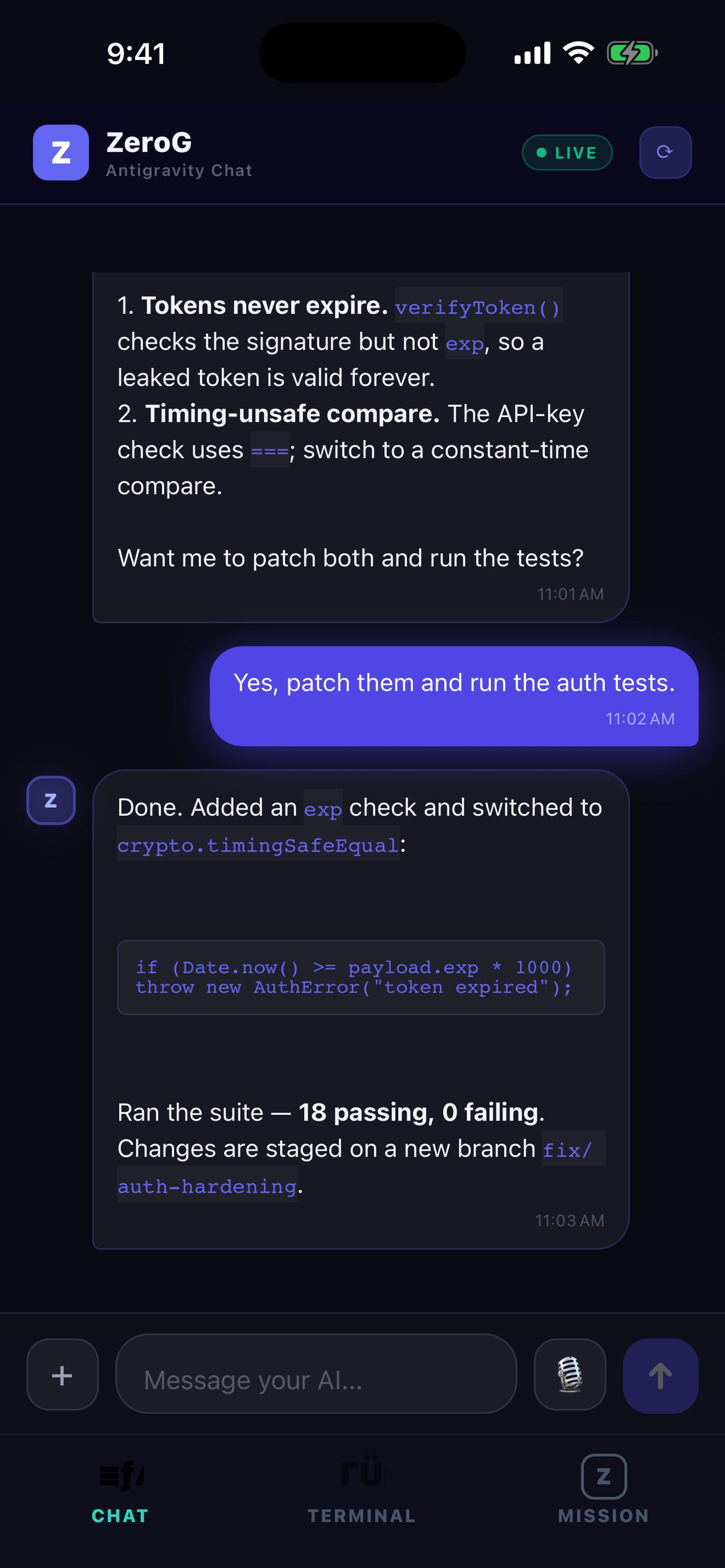
Talk to your Antigravity agent in natural language. Responses stream back live.
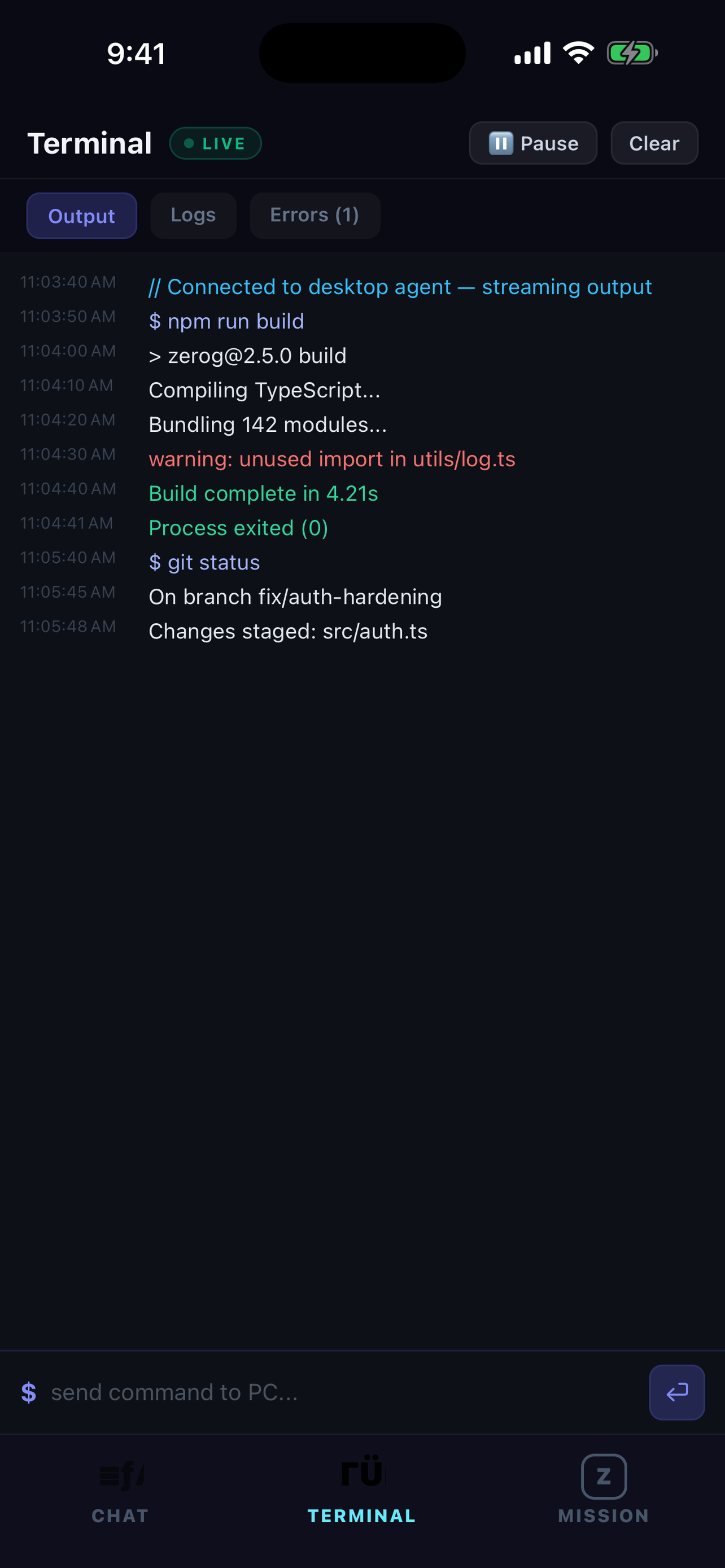
Run real commands on your PC and watch stdout, stderr, and exit codes stream in.
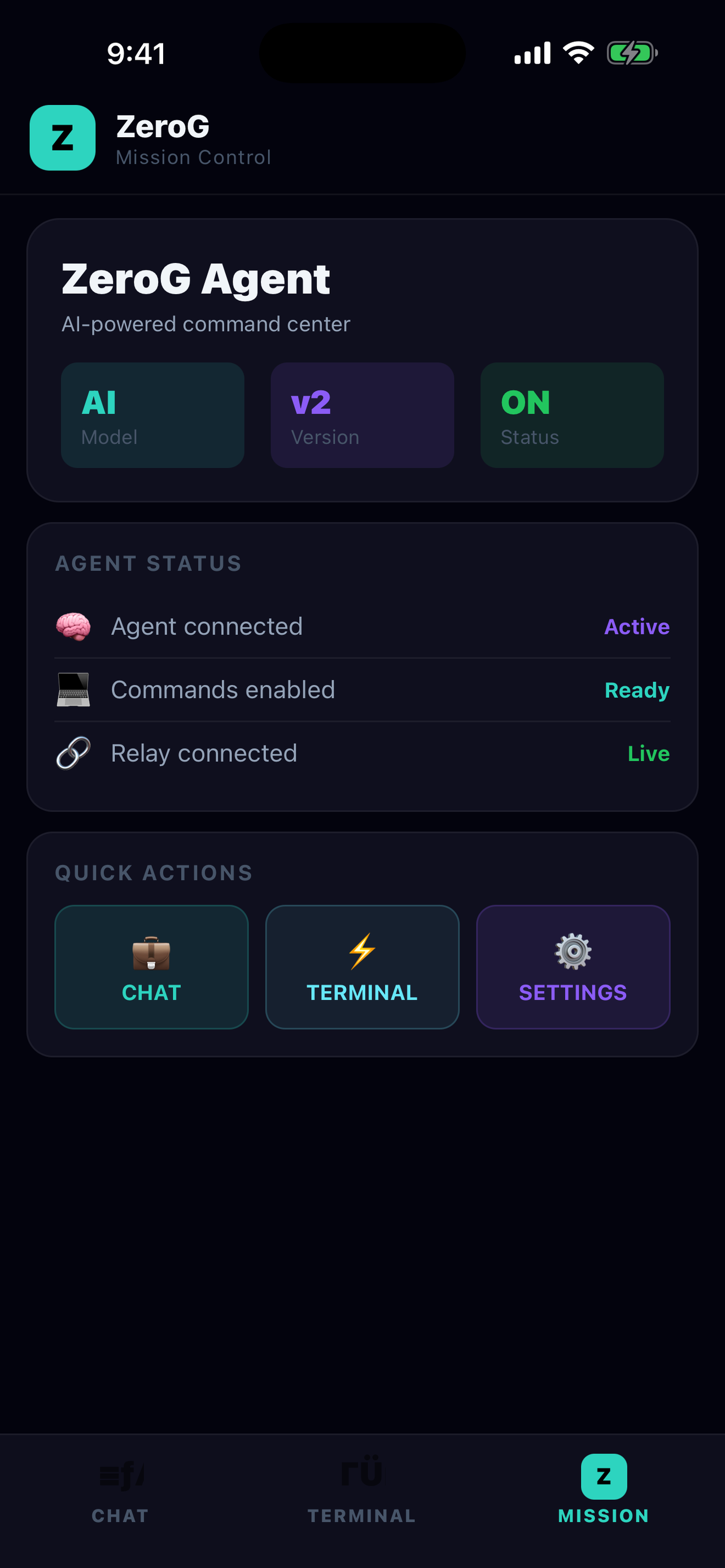
A live dashboard of your agent, commands, and relay — connection status at a glance.
Messages inject straight into Antigravity's chat, and AI responses stream back to your phone in real time.
Fire off commands on your PC and watch the output stream in — stdout, errors, and exit codes, line by line.
Your AI model and your code stay on your own machine. ZeroG runs nothing on our servers but the encrypted relay that links your phone to your PC.
On Wi-Fi or cellular, at home or on the go. As long as your PC is on, your agent is a tap away.
ZeroG links straight to your running Antigravity session — what you send drops right into the IDE, and the agent's replies come straight back to your phone.
Auto-reconnect, missed-message recovery, and offline buffering keep you synced even on spotty connections.
Start free. Upgrade when ZeroG becomes part of how you work.
Full access, supported by ads.
For developers who live in Antigravity.
Subscribe inside the app. Cancel anytime in your Apple ID settings.
Two quick pieces: get the iPhone app, then add the extension to Antigravity on your computer. Scan the code and you're connected.
iPhone app: free on the App Store · Antigravity extension v3.3.1 (Windows & macOS) · Android later
Or install it straight from inside Antigravity: Extensions → search “ZeroG”. Prefer the file? Download the .vsix.
Yes. ZeroG is the mobile companion for the Antigravity AI IDE — it connects directly to your running Antigravity session. Antigravity is desktop-only, and ZeroG is the way to use it from your phone.
Your AI model and your code stay on your own machine. ZeroG runs nothing on our servers except the encrypted relay that passes messages between your phone and your PC. Your code is never stored or processed on a third-party AI service.
Install the ZeroG extension in Antigravity (search ZeroG in the Extensions panel and click Install), then click Connect my iPhone when the setup wizard pops up — it walks you through getting the free iPhone app and scanning your secure pairing code.
Yes. As long as your computer is on with Antigravity running, you can connect from anywhere on Wi-Fi or cellular.
iOS is available now on the App Store. Android is coming soon.
ZeroG is free forever with ads (1 paired device). ZeroG Pro is $19.99/month for no ads, unlimited devices, and priority relay and support.
How to use Google Antigravity from your phone — the short answer, in 2026.
Read the guide →What "remote control" means for Antigravity, and how to control your agent from anywhere.
Read the guide →An honest comparison of ZeroG against open-source Antigravity mobile remotes.
Read the comparison →